

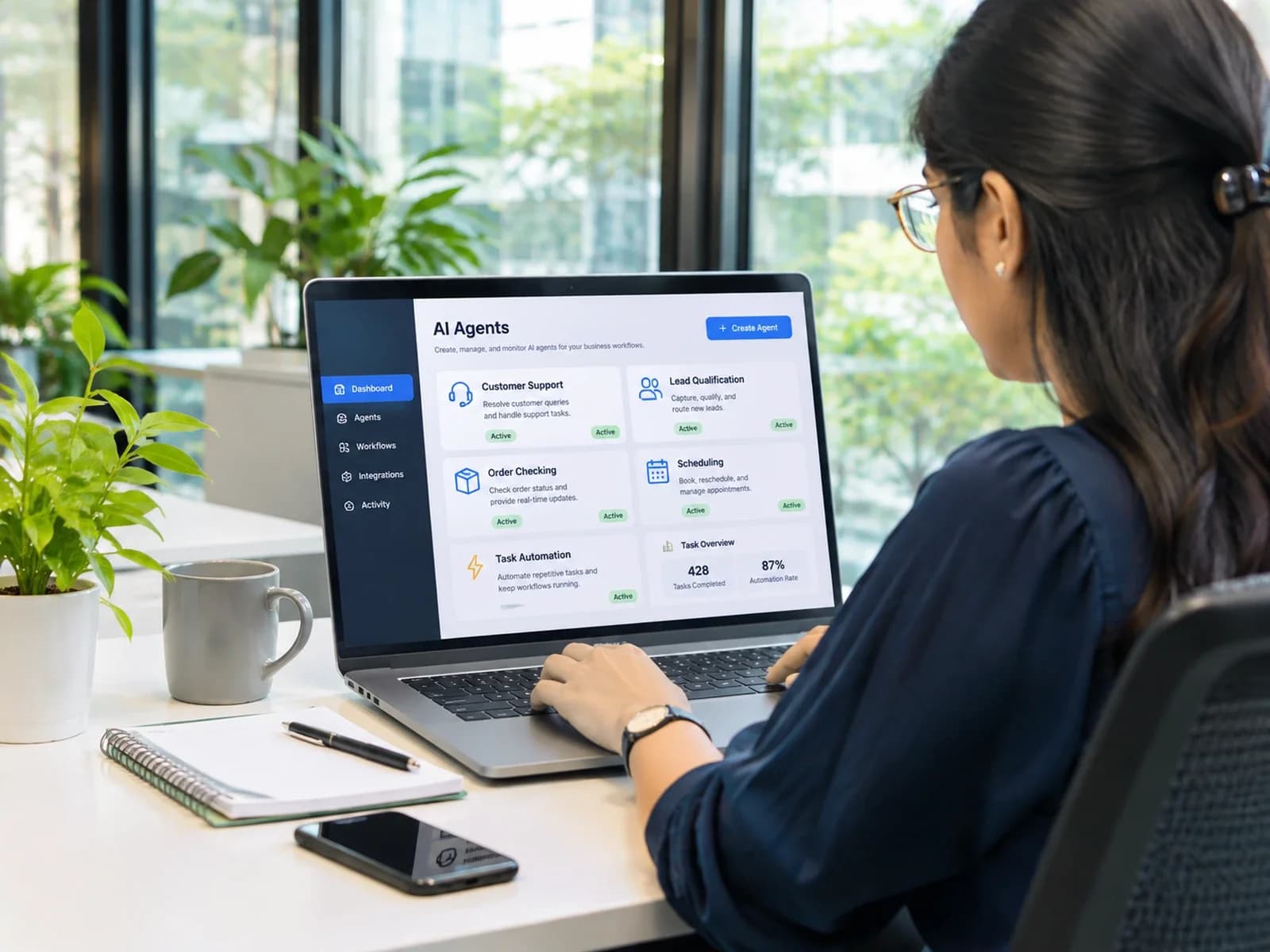
Businesses are increasingly using artificial intelligence for more than answering questions. Today, AI-powered systems can qualify sales leads, check customer orders, schedule appointments, retrieve information and coordinate tasks across multiple business applications.
The technology making this possible is AI agents.
Unlike traditional chatbots that primarily respond to messages, AI agents can understand goals, make decisions, use connected tools and perform actions to complete specific tasks. They can operate across different systems with varying levels of human supervision.
But what are AI agents, how do they actually work, and why are businesses investing in them?
In this guide, we'll explore the different types of AI agents, real-world examples, practical business applications, their benefits and limitations, and how businesses can get started with AI agent automation.
What Are AI Agents?
An AI agent is a software system that can understand information, make decisions and take actions to achieve a specific goal.
Unlike a basic chatbot that mainly generates responses, an AI agent can interact with external tools and business systems. These might include a CRM, e-commerce platform, database, email system, calendar or internal knowledge base.
For example, imagine a customer asks an online store:
"Where is my order?"
A traditional chatbot might explain how the customer can track an order.
An AI agent can identify the customer's order, retrieve the latest shipment information from the connected e-commerce or delivery system and provide the actual delivery status.
The difference is its ability to understand a task and take action using connected systems.
In simple terms:
A chatbot talks.
An AI agent can understand, decide and act.
How Do AI Agents Work?
Most modern AI agents follow a similar process of understanding, planning, acting and checking the result.
1. Receive a Goal or Input
The agent receives a task through a customer message, form submission, scheduled trigger or system event.
For example, a sales agent might receive a new lead from a website contact form.
2. Understand the Context
The agent interprets the request and gathers the information needed to complete the task.
It may retrieve customer details, previous conversations, company documents or information from connected applications.
3. Plan the Next Steps
The agent determines which actions are required and in what order.
For example, a lead qualification agent might need to understand the prospect's requirements, check their company information and determine which sales representative should handle the lead.
4. Use Tools and Integrations
AI agents can connect to external systems through APIs, databases and other tools.
These integrations allow an agent to retrieve information, update records, create support tickets, schedule appointments or trigger business workflows.
5. Take Action
After gathering the required information, the agent performs an authorized action.
This could mean updating a CRM record, sending an email, creating a support ticket or preparing a refund request.
6. Check the Result
The agent checks whether the task was completed successfully.
If information is missing, an API fails or the request requires additional judgment, the agent can ask for more information, retry within defined limits or escalate the task to a human.
The Main Components of an AI Agent
Most modern AI agents combine several important components.
- AI model: Understands instructions, interprets information and helps determine the next action.
- Memory and knowledge: Provides relevant context from previous interactions, documents or approved business data.
- Tools and integrations: Allow the agent to communicate with external applications and perform actions.
- Rules and guardrails: Define permissions, limitations and situations where human approval is required.
Together, these components allow an AI agent to move beyond a simple question-and-answer interaction.
AI Agents vs Chatbots vs Traditional Automation
These technologies are often discussed together, but they solve different problems.
A chatbot is primarily designed for conversation. It can answer questions and provide information but may have limited ability to perform actions.
Traditional automation follows predefined rules. It works extremely well when the process is predictable and the required steps are already known.
AI agents are designed for situations where inputs can vary and decisions depend on context.
For example, a traditional automation workflow might follow a fixed rule:
If a new lead submits a form, send an email and create a CRM record.
An AI agent could go further by understanding the lead's message, identifying their requirements, researching approved company information, assigning a priority and deciding which workflow should happen next.
The three approaches can also work together. Traditional automation can handle predictable operations, while an AI agent manages flexible decision-making and communication.
What Are the Different Types of AI Agents?
AI agents can be classified in different ways. In artificial intelligence theory, five classic types are commonly used to explain how agents perceive information and make decisions.
1. Simple Reflex Agents
Simple reflex agents respond to the current situation using predefined condition-action rules.
They do not rely heavily on previous events when deciding what to do.
For example, a basic thermostat can turn heating on when the temperature drops below a defined level and turn it off when the desired temperature is reached.
These agents work best in predictable environments.
2. Model-Based Reflex Agents
Model-based reflex agents maintain an internal representation of their environment.
This allows them to make decisions even when they cannot observe every detail at a particular moment.
A robot vacuum is a simple example. It can maintain information about the rooms it has already cleaned and use that information when deciding where to move next.
3. Goal-Based Agents
Goal-based agents select actions according to a specific objective.
Instead of simply reacting to the current situation, they consider possible actions and choose one that helps achieve their goal.
A navigation system is a common example. Its goal is to reach a destination while considering available routes and current conditions.
4. Utility-Based Agents
Utility-based agents evaluate possible outcomes and select an action based on the overall value of that outcome.
They can consider factors such as cost, speed, efficiency and risk.
For example, an intelligent delivery system might compare different routes while considering travel time, fuel costs and delivery priorities.
5. Learning Agents
Learning agents improve their behavior through experience and feedback.
They can adapt as they receive new information and observe the results of previous actions.
Recommendation systems are a common example. They can improve their suggestions by learning from customer interactions and preferences.
Modern Types of AI Agents Used in Business
In practical business environments, AI agents are often categorized according to the work they perform.
Conversational AI Agents
These agents communicate with customers or employees through websites, messaging platforms and support systems.
Common applications include customer support, employee assistance and product information.
Task Automation Agents
These agents perform specific operational tasks such as creating tickets, updating records, processing documents and coordinating workflows.
They are particularly useful for reducing repetitive administrative work.
Multi-Agent Systems
A multi-agent system uses several specialized agents that work together to complete a larger task.
For example, a business research workflow might use one agent to collect information, another to analyze it and another to prepare the final report.
An orchestration layer coordinates the different agents.
Human-in-the-Loop Agents
These agents can prepare recommendations or actions but wait for human approval before completing sensitive operations.
For example, an AI finance agent could extract invoice information and prepare a payment request while leaving final approval to an authorized employee.
This approach is useful for financial, legal and other sensitive workflows.
Real-World Examples of AI Agents
AI agents can be used across many industries and business functions.
Customer Support
A customer support agent can understand questions, retrieve customer information, check policies and resolve common requests.
When a problem is too complex, it can transfer the conversation to a human representative along with the relevant information.
Sales and Lead Qualification
A sales agent can respond to new enquiries, ask qualifying questions, collect business information, update the CRM and schedule meetings.
This allows sales teams to spend more time with qualified prospects.
Finance and Accounting
Finance agents can extract information from invoices, match records, identify missing information and flag unusual transactions.
Sensitive financial approvals should remain subject to appropriate authorization controls.
Human Resources
HR agents can answer employee questions, assist with onboarding, organize candidate information and help schedule interviews.
Healthcare Administration
Administrative AI agents can assist with appointment scheduling, reminders and general administrative enquiries.
Sensitive medical decisions should remain with qualified healthcare professionals.
IT Support
IT agents can troubleshoot common technical problems, retrieve internal documentation, create support tickets and guide employees through approved troubleshooting procedures.
AI Agents for Business: Practical Use Cases
The potential of AI agents becomes clearer when they are connected to real business workflows.
E-commerce
Online stores can use AI agents to track orders, handle returns, answer customer questions and coordinate refund requests.
For example, an agent can verify an order, check return eligibility and prepare the next step in a refund workflow.
You can also read our related article on AI agents for refund processing for a deeper look at this use case.
Lead Generation and Sales
An AI sales agent can respond to new leads within seconds.
It can ask qualifying questions, understand customer requirements, update the CRM and schedule a meeting with the appropriate salesperson.
This reduces the amount of manual work required between receiving a lead and contacting the prospect.
Customer Support
AI agents can handle repetitive questions such as order status, account information, product details and basic troubleshooting.
More complicated cases can be transferred to human representatives with the conversation history attached.
Operations and Back-Office Automation
Many businesses spend significant time on repetitive administrative work.
AI agents can help coordinate tasks such as:
- Invoice processing.
- Document verification.
- Report preparation.
- Data entry.
- Information retrieval.
- Internal request management.
The goal is not to automate every task, but to remove unnecessary manual steps from processes that happen repeatedly.
Internal Knowledge Assistants
Employees often spend time searching through company documents, policies and internal resources.
An AI knowledge assistant can retrieve information from approved sources and provide employees with relevant answers.
This can be particularly useful for organizations with large amounts of internal documentation.
Benefits of Using AI Agents
When implemented correctly, AI agents can provide several operational advantages.
Saves Time
Repetitive tasks can be handled automatically, allowing employees to spend more time on higher-value work.
Faster Responses
Customers and employees can receive immediate assistance instead of waiting for a member of staff to become available.
Greater Consistency
An agent can follow the same business rules across similar requests, reducing variation in routine workflows.
Better Scalability
Businesses can handle increasing volumes of requests without increasing manual work at exactly the same rate.
Better Use of Employees
Instead of spending hours on repetitive tasks, employees can focus on complex problems, relationships, strategy and creative work.
24/7 Availability
AI agents can continue handling eligible workflows outside normal business hours.
Limitations and Risks of AI Agents
AI agents are powerful, but they are not perfect.
Businesses need to understand the risks before connecting an agent to important systems.
Incorrect Information
AI models can misunderstand requests or produce inaccurate information.
Trusted data sources, validation and testing are important for reducing this risk.
Over-Automation
Sensitive decisions involving payments, legal matters, access permissions or high-value transactions should not be left entirely to an AI system.
Businesses should clearly define which actions require human approval.
Security
An AI agent connected to business systems may have access to sensitive information.
Use authentication, permission controls and least-privilege access to limit what the agent can see and do.
Privacy
Customer and employee information must be handled according to applicable privacy requirements and internal data policies.
Poor Workflow Design
An AI agent without clear instructions, boundaries and testing can create more problems than it solves.
Good implementation includes backend validation, activity logs, permission limits and clear escalation paths.
How to Start Using AI Agents in Your Business
Businesses do not need to automate everything at once.
A focused first project is usually more effective.
1. Pick One Repetitive Process
Choose a task that happens frequently and consumes employee time.
Good starting points include lead qualification, order status enquiries, appointment scheduling and internal information requests.
2. Document the Current Workflow
Write down the inputs, tools, decisions, expected results and exceptions.
Understanding the existing process makes it easier to identify where an AI agent can actually help.
3. Define Rules and Limits
Decide what the agent can do independently and what requires human approval.
For example, an agent might be allowed to create a support ticket but not close a high-priority customer complaint without approval.
4. Connect Your Business Tools
Use secure, authorized integrations with your CRM, helpdesk, database, e-commerce platform or other required systems.
Only give the agent access to the tools and information it actually needs.
5. Test Real Scenarios
Test normal requests as well as missing information, unusual inputs, failed integrations and edge cases.
Testing should happen before the agent is allowed to perform sensitive actions.
6. Launch Gradually
Start with information retrieval, recommendations or draft actions.
Once the system demonstrates reliable performance, gradually increase its level of automation.
7. Measure the Results
Track meaningful metrics such as:
- Resolution time.
- Automation rate.
- Accuracy.
- Escalation rate.
- Customer satisfaction.
- Employee time saved.
These measurements help determine whether the AI agent is actually improving the business process.
Should You Build a Custom AI Agent or Use a Ready-Made Tool?
Ready-made AI tools are useful when the business needs a quick solution for a common workflow.
They can work well for basic customer support, content assistance and simple productivity tasks.
A custom AI agent becomes more useful when the workflow involves multiple business systems, specialized rules, sensitive information or integrations that existing tools cannot support.
For example, a business might need an agent that connects its CRM, internal database, customer support platform and e-commerce system while following company-specific approval rules.
In that situation, a custom solution can provide greater control over the architecture, integrations and workflow.
Many businesses start with a simple ready-made solution and move toward custom AI agent development as their requirements become more sophisticated.
Final Thoughts
AI agents are changing how businesses approach automation.
Instead of using AI only to answer questions or generate content, businesses can use agents to retrieve information, make context-based decisions, interact with software and complete operational tasks.
From customer support and sales to finance, HR and back-office operations, AI agents can reduce repetitive work and help teams operate more efficiently.
But successful implementation is not simply about choosing the most powerful AI model.
Businesses need clearly defined workflows, secure integrations, appropriate permissions, testing and human oversight for important decisions.
The best approach is to start with one real business problem, automate a manageable process and expand based on measurable results.
At Astrylx, we design and build custom AI agents, intelligent workflows and business automation solutions around real operational requirements.
Have a repetitive process slowing down your team?
Let's build a smarter way to work.
Frequently Asked Questions
What are AI agents in simple words?
AI agents are software systems that understand a goal, gather relevant information, make decisions and take actions using connected tools and applications.
What is the difference between an AI agent and a chatbot?
A chatbot mainly responds to messages. An AI agent can also retrieve data, interact with business software and complete multi-step tasks.
What are some examples of AI agents?
Examples include customer support agents, sales qualification agents, appointment scheduling assistants, invoice processing agents and IT support agents.
What are the five main types of AI agents?
The five classic types are simple reflex agents, model-based reflex agents, goal-based agents, utility-based agents and learning agents.
Are AI agents safe for business use?
They can be, when designed with secure integrations, limited permissions, backend validation, activity logs and human approval for sensitive actions.
Can small businesses use AI agents?
Yes. Small businesses can start with one straightforward workflow, such as lead qualification, customer support or appointment scheduling, and expand automation over time.
Will AI agents replace employees?
AI agents are primarily useful for automating repetitive work. Employees remain important for complex decisions, creativity, relationships and situations that require human judgment.
What is a multi-agent system?
A multi-agent system consists of multiple specialized AI agents that coordinate their work to complete a larger task or achieve a shared objective.
Can AI agents integrate with existing business software?
Yes. AI agents can connect with compatible CRM, ERP, e-commerce, payment and communication systems through APIs and authorized integrations.